
LTI 1.1 Keys
Under LTI 1.1, an LMS proves that a launch is genuine by signing it with a secret that it shares with NETLAB+. In NETLAB+ that secret belongs to the community: each community has its own Consumer Key and Shared Secret, and the LMS administrator enters the same pair when adding NETLAB+ as an external tool. Because the secret is per community, a launch signed for one community can never enter another.
LTI 1.1 needs no platform registration and no deployment ID. It continues to work unchanged alongside LTI 1.3, and a community may hold both a 1.1 key pair and a 1.3 platform at the same time.
Note
Many institutions no longer accept the SHA-1 signatures LTI 1.1 uses, which is the usual reason to move to LTI 1.3. The steps on this page are for sites that continue to use 1.1.
Setting the Community’s Keys
Login to the NETLAB+ administrator account.
Click > Communities, click the community’s row,
and click Edit.
Check LTI Integration. The LTI fields appear.
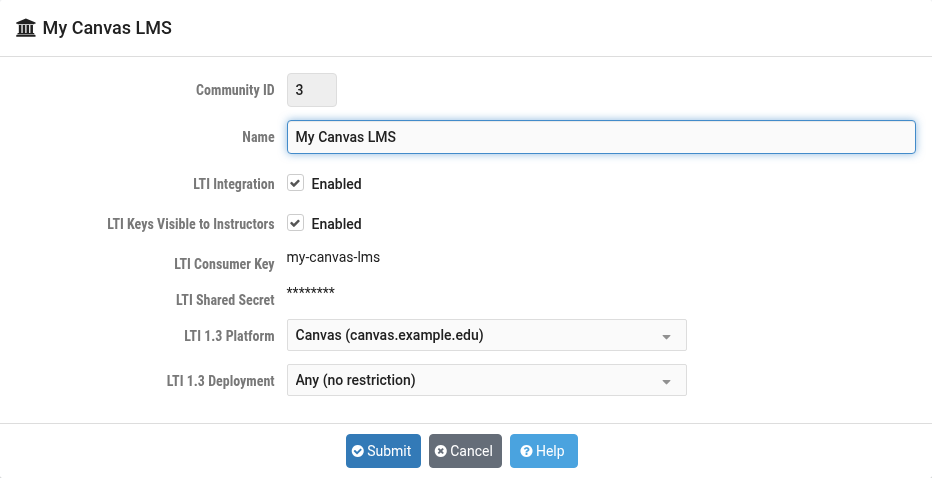
Enter an LTI Consumer Key and an LTI Shared Secret,
or click the random-value button to the right of each field to generate one, and
click Submit.
Field Descriptions
- LTI Consumer Key:
A key that identifies this community to the LMS. Up to 40 characters. The LMS administrator enters the same value in the LMS.
- LTI Shared Secret:
The secret used to prove ownership of the Consumer Key. Up to 40 characters. The LMS administrator enters the same value in the LMS. Treat it as a password: anyone who holds it can forge a launch as any user of the community.
- LTI Keys Visible to Instructors:
When enabled, instructors are shown the Consumer Key and Shared Secret when they export a Common Cartridge for their class, so they can configure the tool in the LMS themselves. When disabled, the export dialog refers them to the NETLAB+ administrator instead. Students are never shown the keys.
Warning
Changing either value invalidates every NETLAB+ external tool already configured with the old pair in the LMS. Each of the two fields has a checkbox to its left; when editing a community, leave it unchecked to keep the stored value even if the field is touched by mistake.
Note
The key and secret may not contain HTML markup. A value with markup is refused when saved.
Configuring the Tool in the LMS
The LMS administrator, or an instructor with the necessary permission, adds NETLAB+ as an LTI 1.1 external tool using three values:
- Consumer Key:
The community’s
LTI Consumer Key.- Shared Secret:
The community’s
LTI Shared Secret.- Launch URL:
The NETLAB+ launch address for LTI 1.1, which is
https://<your NETLAB+ address>/lti-launch.cgi. When a class cartridge is imported, each lab link already carries this address together with the community, class and exercise it belongs to, so the LMS only needs the tool configured once, at the account or course level, for the links to work.
Most LMS products match an imported link to a configured tool by the link’s domain, so the tool is normally configured once for the NETLAB+ address rather than once per link. The privacy settings must allow the tool to receive the learner’s name and email address; a launch without an email address is refused.
Tip
The same class cartridge serves LTI 1.1 and LTI 1.3. If the LMS later moves to
LTI 1.3, remove the 1.1 tool from the LMS once every course has moved. A 1.1 tool
left configured at the course level keeps launching in preference to the 1.3
tool, and the community’s LTI 1.1 Launch Activity row keeps
climbing. See Moving from LTI 1.1 to LTI 1.3.